---
title: "How To Implement Custom Error Responses in Express"
description: "Learn why you may need custom error responses on 4xx errors, what a good custom format looks like, and how to apply it to your error responses in Express."
authors:
- name: "Antonello Zanini"
url: "https://auth0.com/blog/authors/antonello-zanini/"
date: "Aug 10, 2022"
category: "Developers,Tutorial,Node"
tags: ["web", "security", "errors", "node", "http", "express"]
url: "https://auth0.com/blog/how-to-implement-custom-error-responses-in-expressjs/"
---
# How To Implement Custom Error Responses in Express
The 4xx HTTP status codes may not be enough to describe the cause of the error to the client. For this reason, several companies introduced a custom error response format to provide the caller with everything they need to deal with the error. This is a great addition you can make to your backend application, especially considering that implementing it requires only a few lines of code. Let's see what you need to get started with error response customization for `401 Unauthorized` and `403 Forbidden` errors in Express.
## An Introduction to HTTP Error Status Codes
The HTTP status code is a code number returned by the server in response to a client's request. The many [HTTP status codes](https://en.wikipedia.org/wiki/List_of_HTTP_status_codes) available can be grouped into the following five classes based on their number:
- `1xx`: [informational responses](https://developer.mozilla.org/en-US/docs/Web/HTTP/Status#information_responses)
- `2xx`: [successful responses](https://developer.mozilla.org/en-US/docs/Web/HTTP/Status#successful_responses)
- `3xx`: [redirection messages](https://developer.mozilla.org/en-US/docs/Web/HTTP/Status#redirection_messages)
- `4xx`: [client error responses](https://developer.mozilla.org/en-US/docs/Web/HTTP/Status#client_error_responses)
- `5xx`: [server error responses](https://developer.mozilla.org/en-US/docs/Web/HTTP/Status#server_error_responses)
As you can see, there are only two categories of HTTP status codes that represent errors: `4xx` and `5xx`.
The `4xx` class of HTTP status code refers to errors due to the client's request, for example, because of a malformed request. When it comes to `4xx` errors, the server should provide the client with additional info behind the error to prevent it from causing it again.
The `5xx` class of HTTP status code refers to errors encountered by the server while processing the request. For security reasons, you should not provide the client with additional info about this type of error. This is because you do not want an attacker to understand how the server works based on what you returned to them.
Using the right HTTP error status codes is important to help the client understand what occurred. In fact, each `4xx` or `5xx` HTTP status code corresponds to a particular type of error. For example, the `400` status code should be used when the form of the client request is not as the API expects, while the `401` status code should be returned when the client provides no credentials or invalid credentials. However, with `4xx` errors, the HTTP status code alone may not be enough, and you should provide the client with more info.
Let’s delve into why you might need to customize your HTTP error responses.
## Why Customize Error Responses?
Considering that `4xx` errors are caused by the client's request, not receiving enough info to understand why that request failed may be frustrating. Therefore, you need to customize error responses to provide the client with more details about the problem that occurred. This means returning additional data along with the HTTP error status code.
For example, imagine a situation where an API requires a numeric `customerId` parameter. Now, a client calls that API without the `customerId` parameter or using a non-numeric string. As a result, it will receive a generic `400 Bad Request` error from the server. As you can imagine, the default "Bad Request" message cannot help the caller understand how they should call the API. On the other hand, if the server returned a `400` HTTP status code response containing the "customerId required" or "customerId must be a number" message, the client could figure out how they need to call the API properly and avoid making the same mistake twice. Therefore, providing a detailed message on `4xx` errors helps end-users, and it is also why several companies with public APIs use custom error responses.
> Notice that customizing error responses represent a security concern. Although providing extra info in case of errors can be helpful, you should never return info that could jeopardize the security of your application. This is why you should consider customization on error responses only on `4xx` errors, which are all directly referable to the client. On the contrary, you should never provide additional info on your `5xx` error responses.
Now, let’s see an interesting format for your custom error responses.
## A Format for Your Error Responses
To get an idea of how to define a good custom error response format, you can have a look at what reputable companies with public APIs like Google, Apple, and Amazon do in case of errors. For example, this is what GitHub returns in case of a `401` error:
```json
{
"message": "Requires authentication",
"documentation_url": "https://docs.github.com/rest/reference/repos#create-an-organization-repository"
}
```
Returning a string message containing the error description is a common practice, but what is particularly insightful is the `documentation_url` field. This is a brilliant idea to provide the caller with pathways to solutions and not just report error messages. Also, if something changes, you do not have to update your error responses. What will be changing is the content of the documentation page used in the error response. In addition, returning a public link to the documentation does not pose a security problem by definition because anyone can already access the documentation.
Now, let’s see how to customize your error responses to follow this format in an Express server.
## Customize Error Responses in Express
Here, you will learn how to customize the [`401 Unauthorized` or `403 Forbidden` HTTP errors](https://auth0.com/blog/forbidden-unauthorized-http-status-codes/) by extending the [Auth0 Hello World API](https://github.com/auth0-developer-hub/api_express_javascript_hello-world). This is a good example of a demo Express application in JavaScript to start from. Also, HTTP `401` and `403` errors fall into the `4xx` class and are good examples of errors that may require custom responses.
Let’s now dive into the Auth0 Express Hello World API.
### Get started with the Auth0 Hello Word API
You can find the Auth0 Express Hello World API repo [here](https://github.com/auth0-developer-hub/api_express_javascript_hello-world). In detail, let's focus on the [`basic-role-based-access-control`](https://github.com/auth0-developer-hub/api_express_javascript_hello-world/tree/basic-role-based-access-control) branch. You can clone it to take a look at its code with the command below:
```
git clone https://github.com/auth0-developer-hub/api_express_javascript_hello-world.git --branch basic-role-based-access-control
```
This codebase contains the Express.js Hello World API protected via role validation provided by Auth0. You need an Auth0 account to configure the application, If you don't have one, sign up for free right now!
Notice that this RBAC ([Role-Based Access Control](https://auth0.com/docs/manage-users/access-control/rbac)) strategy depends on the [Auth0 User Management](https://auth0.com/user-management) features. You can learn more about the Express Hello World API with basic RBAC protection [here](https://auth0.com/developers/hub/code-samples/api/express-javascript/basic-role-based-access-control).
Specifically, authentication and authorization error logic is handled in the `error.middleware.js` file as below:
```javascript
// src/middleware/error.middleware.js
const errorHandler = (error, request, response, next) => {
if (error.status === 401 && error.message === "Unauthorized") {
const status = 401;
const message = "Requires authentication";
response.status(status).json({ message });
return;
}
if (
error.status === 401 &&
error.code === "invalid_token" &&
error.message === "Permission denied"
) {
const status = 403;
const message = error.message;
response.status(status).json({ message });
return;
}
const status = error.statusCode || error.code || 500;
const message = error.message || "internal error";
response.status(status).json({ message });
};
module.exports = {
errorHandler,
};
```
Here, the "Unauthorized" `401` error raised by the Auth0 SDK is intercepted and transformed into the following `401` HTTP status code error response:
```json
"Requires authentication"
```
Similarly, the “Permission denied” `401` error generated by the Auth0 SDK is converted into the following `403` HTTP status code error response:
```json
"Permission denied"
```
Note that the Auth0 Express library used to provide authorization and authentication does not return a `403` error when the access token is not associated with a user with the expected role, as you might expect. This is because the Auth0 SDK team wanted to keep the library as generic as possible and always returns a generic `401` error. It is up to you to weigh in and determine whether that error returned by the SDK is the most appropriate for your use case. Here, it is not, and that is why the `401` error becomes a `403` error.
Let's now learn more about the Auth0 library used.
### How is access checked?
The Express Hello World API relies on the [`express-oauth2-jwt-bearer`](https://auth0.github.io/node-oauth2-jwt-bearer/) Auth0 library to implement authorization and authentication. If you are not familiar with it, `express-oauth2-jwt-bearer` is an authentication middleware for Express that validates bearer access tokens in JWT format.
In detail, `express-oauth2-jwt-bearer` is used in the `src/middleware/auth0.middleware.js` file as follows:
```javascript
// src/middleware/auth0.middleware.js
const { auth, claimCheck } = require("express-oauth2-jwt-bearer");
const dotenv = require("dotenv");
dotenv.config();
const validateAccessToken = auth({
issuerBaseURL: `https://${process.env.AUTH0_DOMAIN}`,
audience: process.env.AUTH0_AUDIENCE,
});
const checkRequiredPermissions = (requiredPermissions) => {
return (req, res, next) => {
const permissionCheck = claimCheck((payload) => {
const permissions = payload.permissions || [];
return requiredPermissions.every((requiredPermission) =>
permissions.includes(requiredPermission)
);
}, "Permission denied");
permissionCheck(req, res, next);
};
};
module.exports = {
validateAccessToken,
checkRequiredPermissions,
};
```
The `validateAccessToken()` function is generated by the `express-oauth2-jwt-bearer` [`auth()`](https://github.com/auth0/node-oauth2-jwt-bearer/blob/0b65192/packages/express-oauth2-jwt-bearer/src/index.ts#L62) function, which takes a [`AuthOptions`](https://auth0.github.io/node-oauth2-jwt-bearer/interfaces/authoptions.html) object and returns a middleware function that can be used to restrict an Express endpoint to authorized users. Similarly, the `checkRequiredPermissions()` function is generated by the `express-oauth2-jwt-bearer` [`claimCheck()`](https://auth0.github.io/node-oauth2-jwt-bearer/index.html#claimcheck) function, which takes a [`JWTPayload`](https://auth0.github.io/node-oauth2-jwt-bearer/interfaces/jwtpayload.html) object and returns a middleware function that can be used to restrict an Express endpoint to authenticated users.
The two functions can be used to provide authentication and authorization as follows:
```javascript
// src/services/example.js
const express = require("express");
const {
checkRequiredPermissions,
validateAccessToken,
} = require("../middleware/auth0.middleware.js");
const messagesRouter = express.Router();
// a public endpoint
messagesRouter.get("/public", (req, res) => {
res.status(200).json("Hello, World!");
});
// an Express endpoint accessible only by authenticated users
// thanks to the validateAccessToken middleware
messagesRouter.get("/protected", validateAccessToken, (req, res) => {
res.status(200).json("Hello, World!");
});
// an Express endpoint accessible only by authenticated and authorized users
// thanks to the validateAccessToken and checkRequiredPermissions middleware
// functions respectively
messagesRouter.get(
"/admin",
validateAccessToken,
checkRequiredPermissions(["read:admin-messages"]),
(req, res) => {
const message = getAdminMessage();
res.status(200).json(message);
}
);
module.exports = { messagesRouter };
```
## Customizing `401` and `403` Error Responses
Let's now see how to extend the `basic-role-based-access-control` branch application to implement custom error responses on `401` and `403` errors. You can find the full code in the [GitHub repository that supports the article](https://github.com/auth0-blog/extended-basic-role-based-access-control). To achieve the goal, simply change the file `error.middleware.js` as follows:
```javascript
// src/middleware/error.middleware.js
const errorHandler = (error, request, response, next) => {
if (error.status === 401 && error.message === "Unauthorized") {
// defining the HTTP status code
const status = 401;
// standard HTTP 401 error message
const message = "Unauthorized";
// the link to the hosted version of the "how-to-handle-authentication" HTML page
// you can find in the /docs folder
const authority = `${request.protocol}://${request.hostname}:${process.env.PORT}`;
const documentationLink = `${authority}/docs/how-to-handle-authentication.html`;
// implementing a custom error response on 401 errors
// matching the GitHub error response format
response.status(status).json({
message: message,
documentationLink: documentationLink
});
return;
}
if (
error.status === 401 &&
error.code === "invalid_token" &&
error.message === "Permission denied"
) {
// defining the HTTP status code
const status = 403;
// standard HTTP 403 error message
const message = "Forbidden";
// the link to the hosted version of the "how-to-handle-authorization" HTML page
// you can find in the /docs folder
const authority = `${request.protocol}://${request.hostname}:${process.env.PORT}`;
const documentationLink = `${authority}/docs/how-to-handle-authorization.html`;
// implementing a custom error response on 403 errors
// matching the GitHub error response format
response.status(status).json({
message: message,
documentationLink: documentationLink
});
return;
}
const status = error.statusCode || error.code || 500;
const message = error.message || "internal error";
response.status(status).json({ message });
};
module.exports = {
errorHandler,
};
```
This is what the `401` error response will look like:
```json
{
"message": "Unauthorized",
"documentationLink": "https://your-domain.com/docs/how-to-handle-authentication.html"
}
```
And this is what the `403` error response will look like:
```json
{
"message": "Forbidden",
"documentationLink": "https://your-domain.com/docs/how-to-handle-authorization.html"
}
```
Note that in both cases the error message matches the standard HTTP error message. Also, the links used in the error responses point to the hosted version of the two custom static HTML pages you can find in the [`/docs`](https://github.com/auth0-blog/extended-basic-role-based-access-control/tree/main/docs) folder of the project.
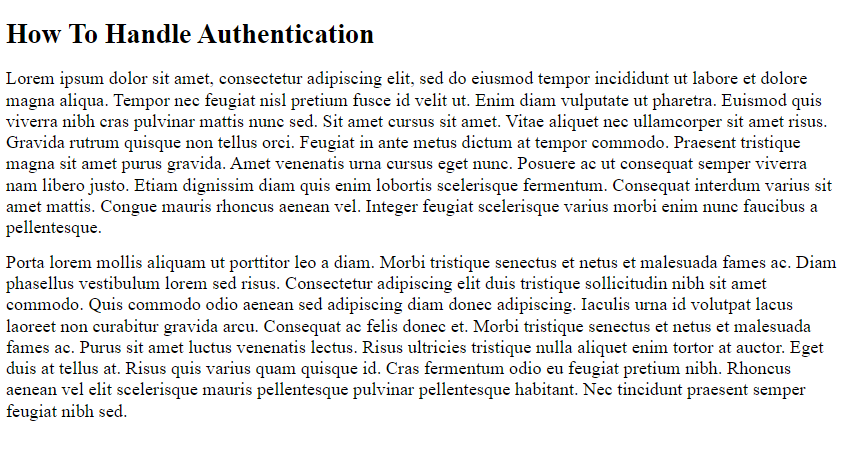
Keep in mind that these HTML documents are only sample pages with *lorem ipsum* text. Therefore, you should populate the pages with complete information to handle authentication and authorization errors or replace the URLs with appropriate links to your documentation.
## Testing the `401` and `403` Error Response
First, clone the extended version of the `basic-role-based-access-control` Auth0 Hello World API branch with the following command:
```
git clone https://github.com/auth0-blog/extended-basic-role-based-access-control
```
Then, enter the `extended-basic-role-based-access-control` project directory with this command:
```
cd extended-basic-role-based-access-control
```
Now, install the npm project dependencies with:
```
npm install
```
Then, create a `.env` file under the root directory of the project and populate it as follows:
```
PORT=6060
CLIENT_ORIGIN_URL=http://localhost:4040
AUTH0_AUDIENCE=
AUTH0_DOMAIN=
```
Replace `` and `` with the values you can find in the Auth0 dashboard. Also, you will need to retrieve a valid `` value. Follow [this guide](https://auth0.com/developers/hub/code-samples/api/express-javascript/basic-authorization#quick-auth-0-set-up) from the official Auth0 documentation to learn how to retrieve these values.
Launch the Express.js API server with the command below:
```
npm run dev
```
You are now ready to start testing the 401 error response. For example, let's try to call the `api/messages/protected` API that requires authentication without the required Auth0 access token:
```
curl --request GET \
--url http:/localhost:6060/api/messages/protected
```
You will receive a 401 error response containing the following JSON:
```
{
"message": "Unauthorized",
"documentationLink": "https://your-domain.com/docs/how-to-handle-authentication.html"
}
```
On the contrary, let's try to use the valid `` retrieved earlier.
```
curl --request GET \
--url http:/localhost:6060/api/messages/protected \
--header 'authorization: '
```
In this case, you would get:
```
{
text: "This is a protected message."
}
```
Replicating a `403` error requires a little more effort. This is because you need to run a frontend client application that uses the Auth0 SDK. Follow [this](https://auth0.com/developers/hub/code-samples/api/express-javascript/basic-role-based-access-control#set-up-role-based-access-control-rbac) tutorial from the official documentation to learn how to set up RBAC in Auth0. Make sure to set up a "read:admin-messages" role and associate it with the admin user role.
Then, use any of the Auth0 frontend client demos from the list you can find [here](https://auth0.com/developers/hub/code-samples/api/express-javascript/basic-role-based-access-control#access-the-admin-endpoint) to login and access the `GET /api/messages/admin` endpoint exposed by the Express server launched earlier on port 6060.
When logging with an authorized admin user, you will get:
```json
{
"text": "This is an admin message."
}
```
On the other hand, when using an unauthorized user, you will receive the following JSON error response:
```json
{
"message": "Forbidden",
"documentationLink": "https://your-domain.com/docs/how-to-handle-authorization.html"
}
```
## Conclusion
In this article, we looked at how to customize error responses when dealing with REST applications developed in Express. This requires just a bunch of lines of code, but you should not take it lightheartedly. On the contrary, it should be implemented with security in mind to avoid providing attackers with useful information about how your backend works. First, we introduced HTTP error status codes and clarified why you might need error response customization on `4xx` errors. Then, we studied how companies with public APIs deal with the `4xx` errors to define a real-world backed error response format. Finally, we learned how to implement this format when it comes to 401 and 403 errors returned by the Auth0 Express Hello World API using the `express-oauth2-jwt-bearer` library for authentication and authorization.
Thanks for reading! I hope that you found this article helpful. Feel free to reach out to me with any questions, comments, or suggestions.